
Download the Slotonauts APK for Android or Add the Web App on iPhone
Take Slotonauts 777 with you: Android users get a native app, and iPhone users add a web app to the home screen in a few taps. Either way, you get the full site and a bonus of up to 50 € for installing.
Get up to 50 € for installing the app:
- Deposit from 1001 € and get 50 €
- Deposit from 501 € and get 30 €
- Deposit from 251 € and get 20 €
- Deposit from 101 € and get 15 €
- Deposit from 51 € and get 10 €
- Deposit from 1 € and get 5 €
Download from the link
- Tap the Download button below.
- The download starts right away.
- Open the file from your Downloads folder and install the app.
Download via QR code
- Scan the QR code with your phone camera.
- Download the app.
- Open the Downloads folder and install it.
- Sign in to your account.

- * The install bonus is for players who deposit from 1 € before installing the app or within 72 hours after it.
- ** The bonus for installing the app is given once.
Android App and iPhone Web App: What Is the Difference
On Android, Slotonauts comes as an APK file. You download it from the site and install it like any other app, and its icon appears in your app list.
On iPhone, the site works as a web app (PWA). You add it to the home screen through Safari, and it opens like an app, without the App Store and without a separate download. In both cases you use the same account, the same balance and the same bonuses as on the website.
What You Get on Your Phone
The app is not a cut-down version. On your phone you get:
- the full casino lobby with slots, jackpots, Hold and Win and crash games;
- the live casino with roulette, blackjack, baccarat and poker;
- the sportsbook and the Cybersport section with live betting;
- promotions, missions and your VIP progress;
- the Cashbox for deposits and withdrawals;
- the Online Chat with support.
With notifications turned on, you also hear about new bonuses and tournaments as soon as they start.
How to Install on Android
Installing the APK takes six short steps:
- Open the site on your phone and go to the menu, then App.
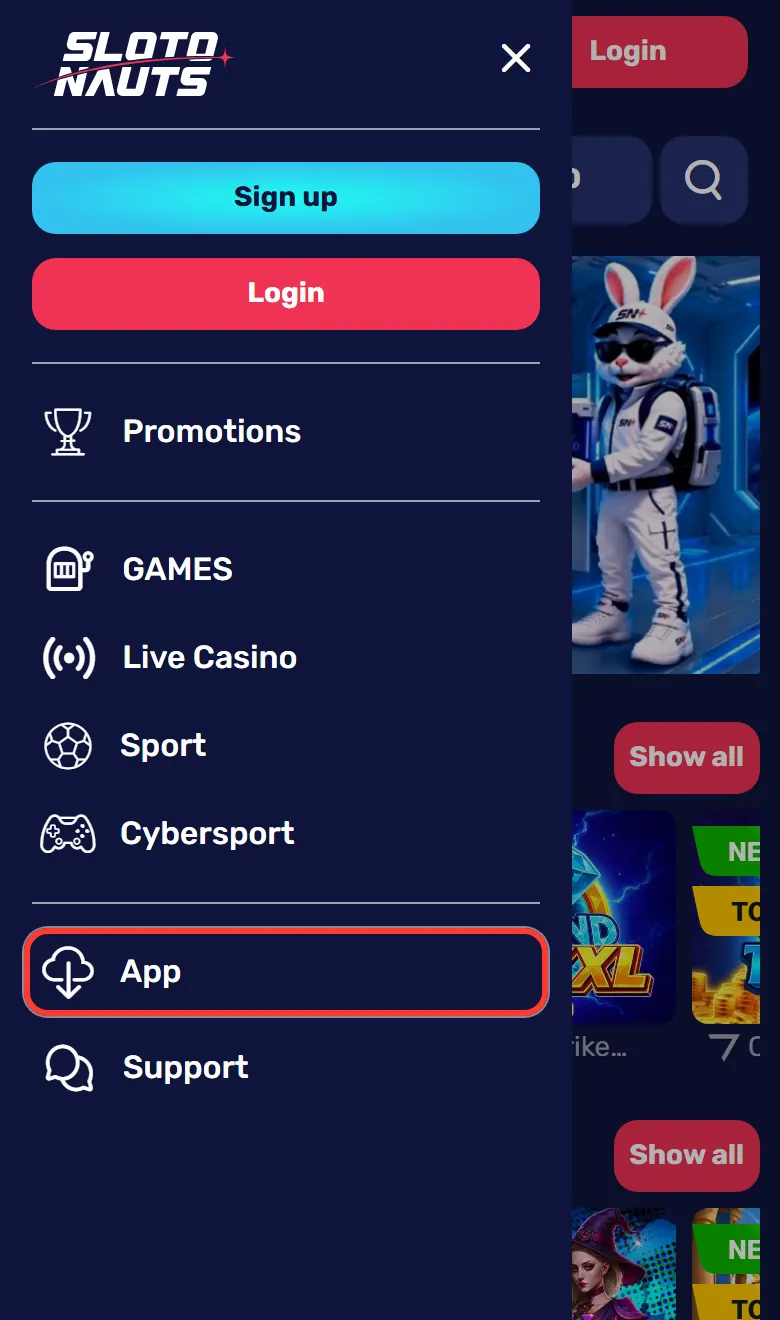
- Expand How to install for Android.
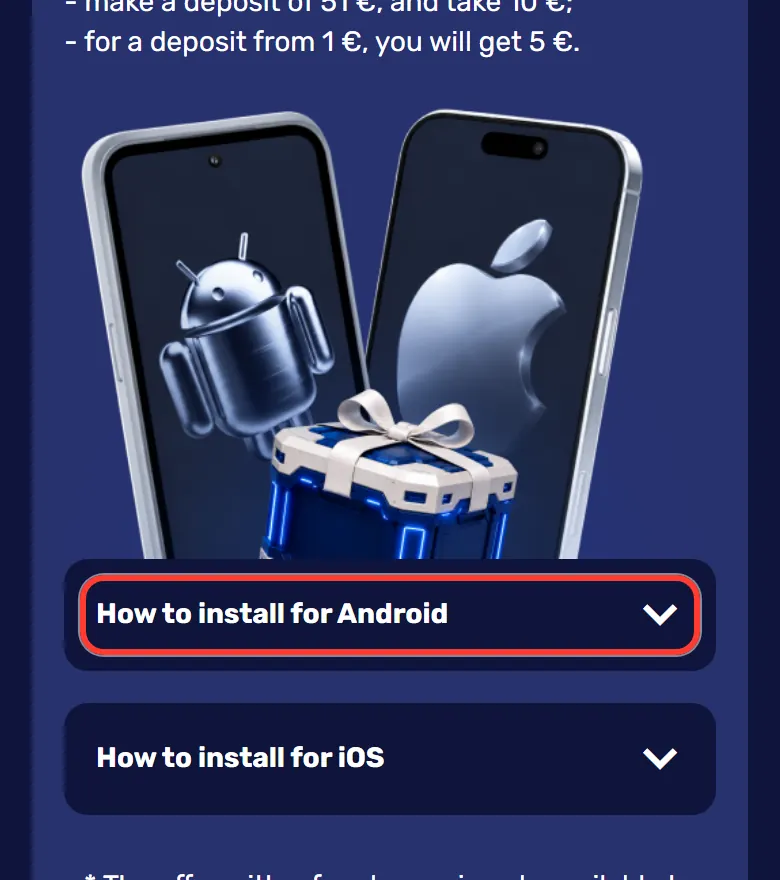
- Press Download. The download starts right away.
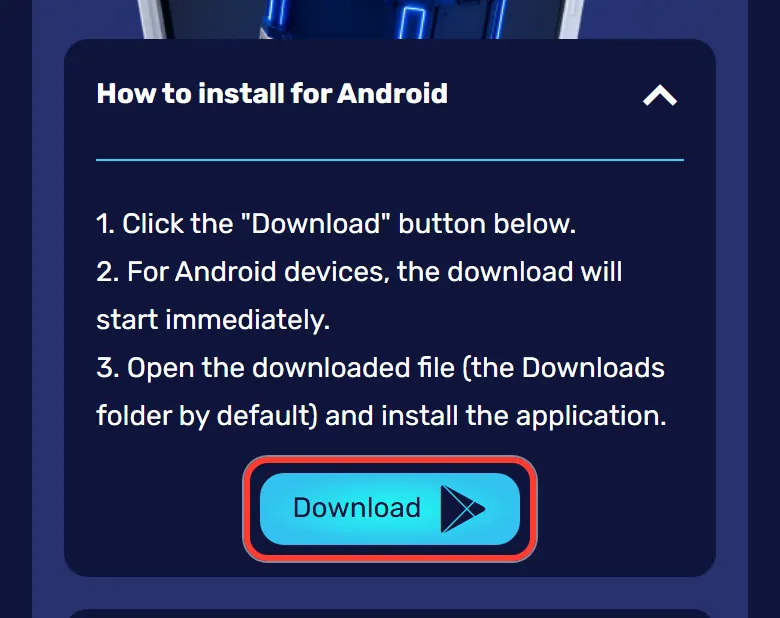
- Open the file from your Downloads folder.
- If the system asks, allow installation from unknown sources, then install the app.
- Turn on notifications. This is a condition for the install bonus.
How to Add the App on iPhone
On iPhone, everything happens in Safari:
- Open the site in Safari, go to the menu, then App, and expand How to install for iOS.
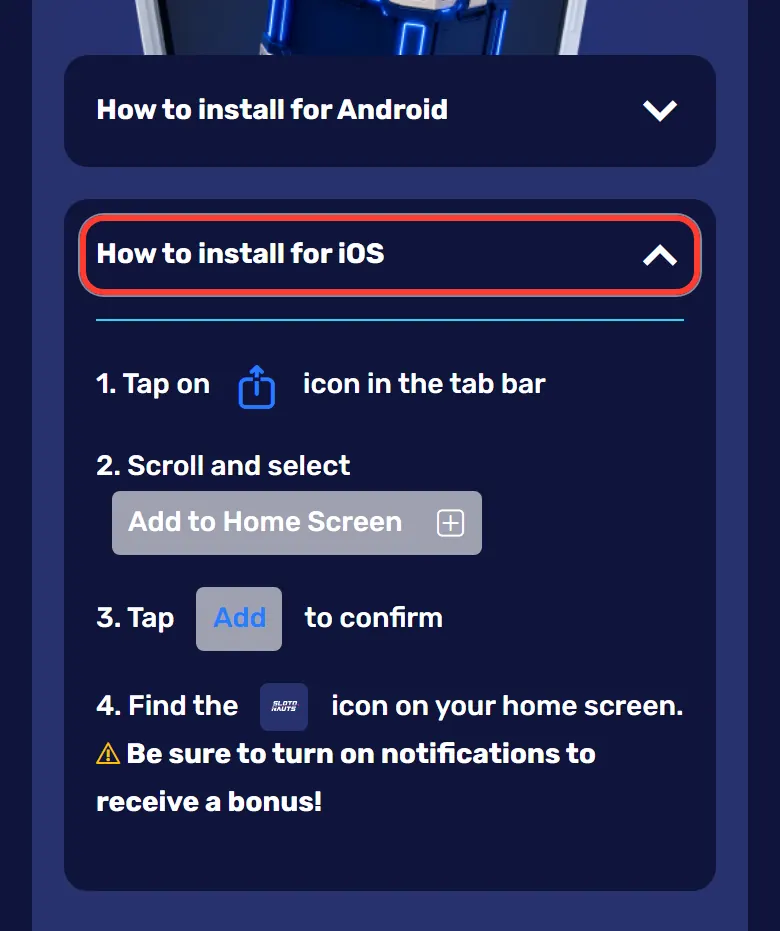
- Tap the Share icon, the square with an arrow, in the toolbar.
- Scroll down and choose Add to Home Screen.
- Tap Add to confirm.
- Find the Slotonauts icon on your home screen.
- Turn on notifications to get the bonus.
Downloading With a QR Code
If you open the App page on a computer, you will see two options: the Download link and a QR code. Point your phone camera at the code, open the link and continue the installation on your phone.
Bonus up to 50 € for Installing
The size of the install bonus depends on how much you deposit:
| Deposit | Bonus |
|---|---|
| From 1 € | 5 € |
| From 51 € | 10 € |
| From 101 € | 15 € |
| From 251 € | 20 € |
| From 501 € | 30 € |
| From 1001 € | 50 € |
To receive it:
- make a deposit from 1 € before installing or within 72 hours after;
- turn on notifications for the app;
- remember that the bonus is given once.
The app bonus works alongside the other Slotonauts bonuses, from the welcome package to weekly cashback.
Signing Up and Logging In on Mobile
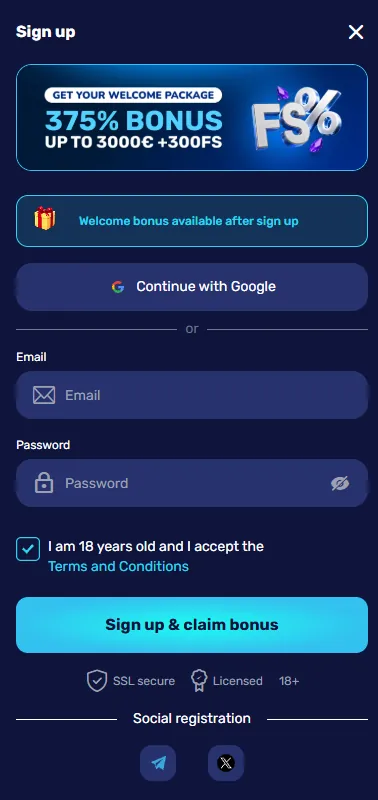
Registration in the app works the same as on the site: an e-mail and a password, or one tap with Google, Telegram or X. If you already have an account, simply log in with the same details. The welcome package of 375% up to 3000 € + 300 FS is available in the app too.
Games and Betting in the App
Some games feel especially natural on a phone: slots and Hold and Win titles, quick crash rounds, live roulette and in-play bets during a match. In the mobile version, a tab bar at the bottom of the screen keeps four buttons close: Games, Sport, Sign up and Promotions. From there, the full casino games lobby is one tap away.
Mobile Payments
The Cashbox is the same as on the website. Apple Pay and Google Pay are the quickest options on a phone, and you can also pay with Visa, Mastercard, Monzo, Revolut, Starling Bank or crypto. Withdrawals go through the Cashbox too, are usually processed in 24-36 hours, and their status is shown in Withdrawal history.
Staying Safe on Mobile
A few habits keep your account protected:
- download the APK only with the Download button on the official site, never from other sources;
- lock your phone screen with a PIN, fingerprint or face recognition;
- log out if you play on someone else's phone.
The site itself runs over SSL.
Installation Problems and Fixes
If something goes wrong, the fix is usually simple:
| Problem | What to do |
|---|---|
| Android blocks the installation | Allow installation from unknown sources when the system asks |
| No Add to Home Screen option | Open the site in Safari, not in another browser |
| The bonus has not arrived | Turn on notifications and check that you deposited within 72 hours |
| Cannot find the file | Look in the Downloads folder |
Still stuck? Open the Online Chat and the support team will help.
FAQ
Is there an app for iPhone?
Yes, as a web app. Open the site in Safari, tap Share and choose Add to Home Screen. The Slotonauts icon then opens the site like an app.
Where do I download the Android file?
Open the menu, go to App and press Download in the How to install for Android block. The APK file lands in your Downloads folder.
How much is the bonus for installing?
From 5 € for a deposit of 1 € up to 50 € for deposits from 1001 €. The deposit must be made before installing or within 72 hours after.
Why do I need to turn on notifications?
Notifications are one of the conditions for the install bonus. They also tell you about new bonuses and tournaments as they start.
Do I need a new account for the app?
No. Log in with the same e-mail and password or social login as on the site. Your balance and bonuses are the same.
Can I bet on sport in the app?
Yes. The sportsbook with live and pre-match betting and the Cybersport section with Dota 2, League of Legends and CS2 are both in the app.
Can I deposit with Apple Pay?
Yes. Apple Pay and Google Pay are among the payment methods, along with cards, Monzo, Revolut, Starling Bank and crypto.
Can I play live casino in the app?
Yes. Live roulette, blackjack, baccarat and poker tables work in the app. A stable Wi-Fi or 4G connection keeps the stream smooth.
Get the App
Install the app on Android or add it to your iPhone home screen, turn on notifications and collect up to 50 €.